
Descript
✓ VerifiedEdit audio and video like a document — AI-powered podcast and video editor
Visit Descript
www.descript.comAbout Descript
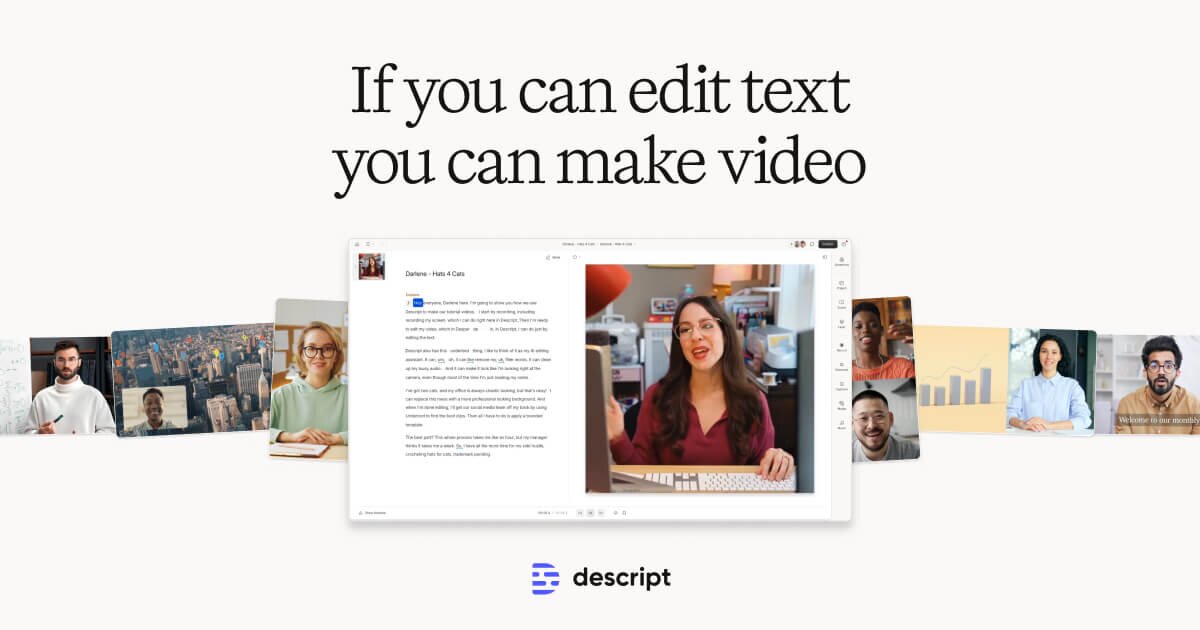
Descript is an all-in-one AI podcast and video editing tool that treats audio/video like a text document — edit your recording by editing the transcript. Features include Overdub (AI voice cloning), Filler Word removal, Studio Sound enhancement, eye contact correction, and AI-powered script generation. The go-to tool for podcasters, YouTubers, and video marketers.
Does ChatGPT recommend your AI tool?
If you're building in Audio & Music, run a free AI-visibility scan on your own product — we ask ChatGPT across 5 prompt angles and score how often you get named. ~30 seconds, no signup, no card.
Studio-grade AI voices and speech-to-text — the voice layer most teams pair with tools like this.
Key Features
Descript Pros & Cons
✅ Pros
- +Edit video by editing text — revolutionary workflow
- +AI voice cloning for corrections
- +Screen recording built in
- +Excellent filler word removal
⚠️ Cons
- −Performance heavy — needs good hardware
- −AI features on higher plans only
- −Not designed for complex video production
- −Export quality can degrade with heavy AI edits
Who Is Descript Best For?
Descript Use Cases
💡Podcast Editing via Transcript
Podcasters use Descript's text-based editing to remove filler words, cut tangents, and tighten conversations by editing the transcript — the audio follows the changes automatically. An hour-long podcast interview is edited to publishable quality in 15-30 minutes.
💡YouTube & YouTube Shorts Repurposing
YouTubers use Descript's Underlord AI to automatically create short clips from long videos for YouTube Shorts, TikTok, and Instagram Reels. The AI identifies the most engaging moments, adds captions, and reformats to vertical video with minimal human review.
💡Screen Recording & Tutorial Creation
Software companies use Descript's screen recorder to create product tutorials, support videos, and demo content. AI removes awkward pauses, corrects stumbles, and adds clean captions — turning raw screen recordings into polished product documentation.
💡Video Sales Letters & Webinar Editing
Marketing teams edit webinar recordings and video sales letters in Descript — removing dead air, cutting off-topic sections, adding B-roll, and producing highlight reels. A 2-hour webinar becomes a tight 45-minute video or a series of 5-minute clips.
💡Overdub for Voice Correction
Journalists and documentary makers use Descript's Overdub to re-record stumbles and mistakes in their own cloned voice — eliminating the need for re-recording sessions. Corrections are indistinguishable from the original recording when voices are well-cloned.
Tags
Complete Your Audio Production Stack
Other audio production tools in our catalog:
ElevenLabs
Try FreeUltra-realistic AI voiceovers
Add professional narration to your videos
Murf.ai
Try FreeStudio-quality AI voices
Create voiceovers in 120+ voices
AdCreative.ai
Try FreeAI-powered ad creatives
Generate marketing visuals in seconds
💰 Affiliate disclosure: We may earn a commission if you sign up through these links at no extra cost to you.
Stay updated on Audio & Music tools — join our weekly newsletter
One concise email with fresh launches, trending picks, and featured standouts.
Alternatives to Descript
View all Descript alternatives →More Audio & Music tools
Sonvori
Create songs, compare versions, and turn music into videos with Sonvori.
TonaliQ
A place to get specific feedback on an unfinished song and decide what to work on next.
Whisper Web Podcasts
Discover podcasts and read timestamped transcripts.
Despeech
A Whisper transcription API that takes an audio URL instead of an upload, handling download, queueing, diarization and storage in one call across 90+ languages.
DeVoice
AI transcription for audio, video and YouTube in 100+ languages with speaker labels and SRT export
EaseVoice
AI voices for videos, lessons, and product demos
Developer & Agent Access
How AI agents and developers can connect to Descript. Verified 2026-06-21.
Public API
Not verified
MCP Server
No MCP server
Auth
None required